Authenticating...
Press the Windows logo key
+PrtScn. The file is saved to the Screenshots folder in your Pictures folder. You can also us the Snipping Tool which is available in all versions of Windows Vista, 7, and 8 except the Starter and Basic editions.
To take a screenshot with your Mac, Command + Shift + 3 and then release all keys to captuer the whole screen, or press Command + Shift + 4 and press down and drag the mouse over the area you'd like to capture.
To take a screenshot with your iPhone or iPod Touch, press and hold the sleep/wake button and then click the Home button.
Take a Screenshot with Android 4.0 (Ice Cream Sandwich) just press and hold the Volume Down and Power buttons at the same time.
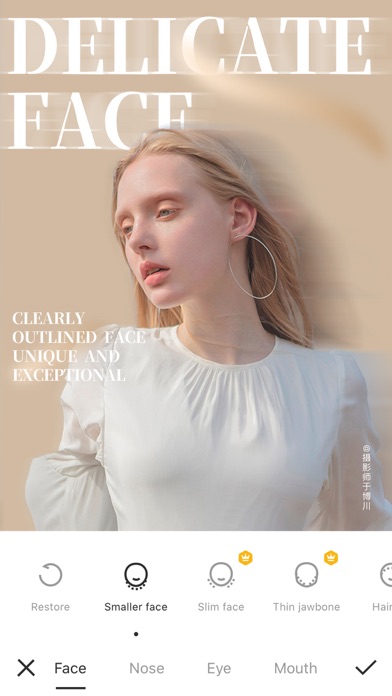
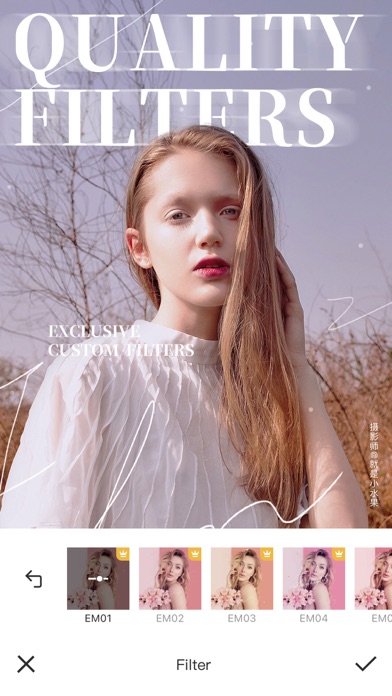
Camera360 is a professional but easy-to use App for photo editing and selfie retouching. You can use Camera360 to edit photo with filters, stickers and make-ups.
ORIGINAL FACE RETOUCHING
- Smooth Skin: Swipe over wrinkles, blemishes and smooth skin.
- Reshape: 21 micro-adjustment, no trace of PS.
- Face and Body reshape: Manual and auto adjustment. You can protect the parts you don't want to edit.
- Beautify: One tap and instantly beautify your photo.
FILTERS OF VARIOUS STYLES
- Magic Sky: Change the sky as you like. Anime Sky, Dreamy Sky.
- Painting filter: Make the photo look like a painting. Use “Great Artist” filter. Everybody can be an artist.
- Anime effect: Try cartoon filter and make a photo nobody else can do!
- Movie Filter: From cinematic, B&W to color, anything you ask is here. Try our movie filters and be who you wanted to be.
HIGH QUALITY SELFIE
- High Quality Filter: Over 300 filters, from retro, black and white, HDR, LOMO, to Hong Kong style!
- Natural and Stylish makeup: Including main and sub, there are over 30 makeup filters! Customize your favorite style and color just the way you like and make your own!
- Cute AR Sticker: With smart face recognition, not only face but also your expression will be captured! You can also play interactively!
- Video Selfie: Support videos of 10s to 60s with music. You can freely change your music and enjoy filter and makeup at the same time.
EDIT LIKE A PRO
- Detailed Color Expressions: It works really well if you just want to change one color! Make the unique colored photo with DSL.
- Image Correction: Support vertical and horizontal correction. Suitable for photos of buildings. Lines will be straight and balanced.
- Basic Color Change: 13 basic parameters including saturation level, exposure, highlight, shade, layers, color temperature, hue, etc.
- Mix Filter: Over 300 filters can be used.
【Camera360 VIP Service Statement】
1. Service name:
- One Month Camera360 VIP;
- Monthly Camera360 VIP;
- Semiannual Camera360 VIP;
- Yearly Camera360 VIP;
- Permanent Camera360 VIP;
Hereinafter referred to as VIP.
2. Payment will be charged to iTunes Account at confirmation of purchase. Subscription automatically renews unless auto-renew is turned off at least 24-hours before the end of the current period. Account will be charged for renewal within 24-hours prior to the end of the current period, and identify the cost of the renewal.After successful deduction, Camera360 will be automatically extended for one subscription period. To cancel renewal, manually turn off automatic renewals in iTunes/AppleID setup 24 hours before the current subscription period expires.
3. You can suspend or terminate this service by:
Automatic renewal for Apple In App Payments (IAP payments, in-app purchases): Goto iPhone "Settings" --> Enter "iTunes Store and App Store" --> tap "Apple ID", select "View Apple ID", enter "Account Settings" page, tap "Subscribe", and select Camera360 VIP to cancel the subscription.
4. VIP Subscription Notice:
https://www.camera360.com/iap_subscription_en.html
5. Privacy Policy:
https://www.camera360.com/privacy.html
6. Terms of Use:
https://www.camera360.com/disclaimer.html
【Contact Us】
●Email us at:
[email protected]
●Follow us on:
Facebook: https://www.facebook.com/camera360official
Twitter: https://twitter.com/Camera360
Instagram: Camera360_Official
Optimized the text function.
It looks like you are using an ad blocker. We understand, who doesn't? But without advertising income, we can't keep making this site awesome.